docs/current/media-and-sprites.md
Download Markdown
Shared deterministic media cleanup 1.1.2 recognizes pink and purple magenta keys as a two-channel matte. It uses normalized chroma distance and skips single-channel despill for these keys, preserving warm skin and green costumes. Green-screen cleanup retains its existing behavior. Legend Maker consumes versioned core/WPF NuGet packages; its run-video imports retain the source color, tuning and engine version in each receipt. Existing receipts remain evidence of their recorded engine.
Processing/package evidence is separate from website deployment and live-provider acceptance. Use verification for the current two active model streams and storage ownership for current budgets. Historical October 15 test totals and storage measurements do not describe today's installation. Legend Maker's Sora/Thornveil video review remains recorded in its handbook.
Small curated JSON/SVG contracts belong in source control. Public image/audio/video bytes belong in the configured external public asset store. Private voices, drafts and protected media retain their private storage owners. Artwork prompts, source masters and review receipts are provenance, not developer onboarding documentation.
Shared bat cursors
Public pages, Admin Console and the standalone Studio editors/previews share five native 48px PNG
cursors: Mochi, Velvet, Onyx, Luna and Pip. The first six clickable-control hover visits use the normal
cursor; the seventh shows a bat, then the seven-hover cycle resets. Each bat appearance advances to the
next design. Moving between a control's text and icon or clicking it does not count another visit;
leaving and returning does. Same-origin
navigation and frames share the tab's sequence through optional session storage; storage denial
falls back to an in-page sequence. Touch, text entry, disabled controls, drag and resize cursors retain
their normal behavior. CSS pointer controls participate alongside links, buttons and semantic controls;
custom controls may explicitly opt in with data-bat-cursor.
The approved black/purple/grey concepts are reduced without recoloring. Their source hashes, prompts,
delivery hashes and center hotspots are in Content/PublicAssets/drakima-bat-cursors-v1.json.
Delivery bytes live in public-assets/images/cursors/bats under the configured external media root
and are registered in external-public-assets.json. Web Shared owns _BatCursor.cshtml,
bat-cursor.css and bat-cursor.js; the partial is included in shared and standalone page shells.
The Gallery-only heart cursor is superseded. The isolated Tests/Browser/bat-cursor.test.cjs and
Gallery fixture verify hover transitions and the lightbox without starting the application.
Character and game media
The owner-approved November 5 Akari SIGN05 rear balcony pause refresh replaces the
single akari-kawaii-dress-sign05-rear-balcony-pause-v2.png in the canonical external
media store, retaining its public hard-link aliases and slot identity. The generated
1024 × 1536 PNG preserves alpha, uses vibrant pink hair and removes the thick white
outline. Content/PublicAssets/akari-balcony-refresh-20261105.json records its prompt,
references and hashes; the current public inventory/adoption receipt is updated.
Character cards, prompts and other sprites are unchanged.
The nineteen Community author avatars are generated from the individual characters' existing reaction
pictographs. Their versioned close-ups live at
public-assets/images/gynoids/<slug>/cards/profile/community-avatar-v1/<slug>-community-avatar-v1.webp.
Content/PublicAssets/community-avatars-v1.json records the built-in image generation prompts, source
reference hashes and final 256 × 256 WebP hashes. Community selects these explicitly without changing
the characters' general profile portraits, room artwork or cards.
The three Gynara campaign covers use the current Neuro-X identity-v1, Kuroneko
identity-v5 and Rykara identity-v2 designs alongside their actual ground arenas.
Selected PNGs live at public-assets/images/arcade/gynara-campaigns/v1 in the
existing external media store. Content/PublicAssets/gynara-campaign-covers-20261021.json
records exact prompts, reference roles, generation attempts and accepted hashes.
These public marketing illustrations are separate from protected gameplay packs.
Presentation startup reads installed images from the configured external public-assets mount and
follows the reviewed folder relocations. Missing artwork has been retired from this installation:
startup skips new registrations for it, preserves existing records and authored selections, and does
not recreate copies or require the old archive. External storage never falls back to stale local images.
Ordinary verification excludes the historical binary collection audits. Their manifests and other
metadata tests remain available; explicitly set DRAKIMA_VERIFY_RETIRED_ARTWORK=1 only when deliberately
auditing a mounted historical collection. This opt-in does not authorize restoring or backing up files.
Startup's legacy Akari VN artwork migration owns only a-date-with-akari,
a-date-with-akari-training-03 and akari-neon-office-consultation. Creator-owned stories keep
their authored costumes, combat poses, scene bindings and expressions even when Akari is the lead.
Global character presentation is not permission to rewrite a campaign's captured art direction.
Common character folders
All twenty external images/gynoids/<slug> roots share these categories:
<slug>/
  cards/
    profile/
    visual-novel/
  creative-assets/
  props/
  reactions/
  spaces/
  sprite-packs/
  turnarounds/
  video-generation/
Empty categories are intentional. They reserve a consistent location without claiming that artwork, an identity, an outfit or a published room exists. Nineteen characters use installed room catalogs; Aster uses managed authoring. Identity versions, outfit keys, image filenames and managed immutable asset keys remain distinct and unchanged.
Poke, Lift and pictograph packs now live under reactions/<pack>. Outfit-specific companions use
reactions/<pack>/identity-vN/outfits/<outfit-key>. Props formerly under authored-spontaneity live in
props/authored-spontaneity/identity-vN. Visual-novel cards use cards/visual-novel/v1; profile cards
use cards/profile/<identity>. Turnaround studies formerly mixed into performance packs now live in
turnarounds/<identity>/outfits/<outfit-key>/<set>. Other existing turnaround set keys stay intact.
Performance sprites retain the layout below. Do not infer a companion URL from a performance folder;
the registered manifest supplies it.
Content/PublicAssets/gynoid-folder-layout-v1.json is the reviewed relocation and category contract.
The application embeds that same plan for retained image/JSON URL redirects and saved-reference reads.
Saved drafts, published releases and historical generation receipts keep their original paths and hashes.
The migration does not publish characters, modify database records, replace artwork or delete image bytes.
See storage recovery for applying,
validating and reversing the external migration with its matching application version.
Current sprite layout
public-assets/images/gynoids/<slug>/sprite-packs/physical-emotes-v1/
  identity-vN/
    outfit-registry.json          (where registered)
    outfits/<outfit-key>/
      manifest.json               (or registered private-room-manifest.json)
      dgss-manifest.json          (where a separate core catalog exists)
      <approved sprite files>
The package-owned small manifests and server registry choose the actual paths. External JSON copies
are compatibility metadata, not a second authoring source. All nineteen installed Gynoids use outfit
folders for current sprites. Keep established keys such as original, purple-date-dress and
crimson-date-dress. A 120-slot performance pack can reuse approved artwork; 120 slots does not imply
120 unique image files. The gynoids-dream-2026-v1 outfits for Valkyrie (identity-v1) and Lilith
(identity-v2) each contain 120 distinct transparent 1024 × 1536 performances, an initial seven reaction/Lift/Poke
companions supplemented by reviewed additions, eight individual emojis and a four-by-two reaction atlas. Both are additional wardrobe
choices; Valkyrie retains original and Lilith retains gynara-maiden as defaults. Reviewed origins
and actual view labels live in their manifests, with hashes in
Content/PublicAssets/gynoids-dream-sprites-20260929.json. Generated source files, exact prompts,
rejected candidates and review/contact sheets remain in the external artwork provenance collection.
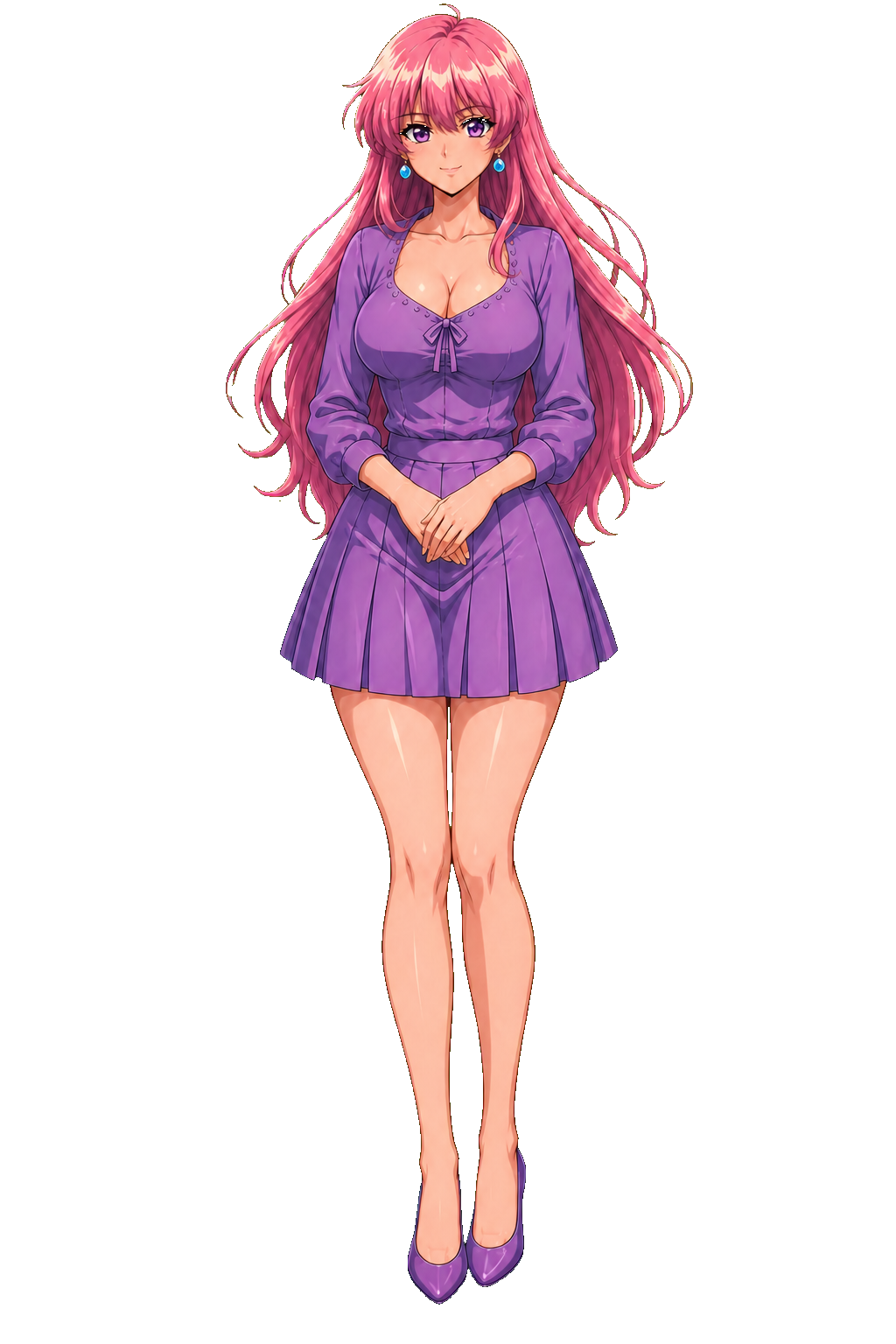
Akari's purple dress uses akari/sprite-packs/physical-emotes-v1/identity-v2/outfits/original.
Its complete pack and smaller DGSS catalog share the outfit directory. Retained old image/manifest
URLs resolve through the explicit relocation map. Do not adopt the archived identity-first proposal
or delete aliases merely because current pages use new URLs.
The Meet rooms also register Akari's akari-kawaii-dress (identity-v2), Kuroneko's
kuroneko-dress (identity-v5), and Sora's sora-dress (identity-v2). The first two are the
registry defaults; Sora retains original. Existing explicit device choices take precedence.
Older outfits remain selectable. Each new dress has 120 performances, standing/seated scene
assignments and its own Lift, Poke and four-by-two reaction pictograph atlas. Kuroneko's
production sprite-pack-manifest.json is provenance; the package-owned manifest.json is the
room contract, including reviewed pose meanings, hip/ground origins and required seat props.
Akari's, Sora's and Kuroneko's reaction companions use their outfit-scoped folders under reactions.
Register those exact companion paths rather than
inferring them. Switching back to original restores its base reactions even when it is no
longer the registry default. The room's registered original manifest remains the framing reference.
Current outfit manifests mark one reviewed rear standing conversation entry with balconyOpening: true.
The room uses that pose for a balcony entrance before normal expression selection resumes. All 31
installed outfits have at least five distinct rear conversation images. Akari's kawaii dress has four
new rear variants; Reika and Kuroneko's original outfit have new reaching-back invitations. The
versioned file paths, hashes and generation evidence live in
Content/PublicAssets/balcony-sprites-20260928.json; old artwork and historical reviews stay intact.
For a managed private character, assign a rear conversation pose to lead-the-way and name the balcony
location explicitly. Validate and create a staff playtest without changing the character's visibility.
Public directory cards and profile heroes use editor-selected welcoming poses from the current
outfits, including Akari's kawaii-dress gentle smile. GynoidPresentationSeedService supplies neutral
portraits for initial setup and upgrades known prior defaults, preserving custom Admin selections and
existing scenery. Private-room framing catalogs and retained visual-novel artwork keep their original
contracts.
Reaction coverage
Each registered outfit should provide at least two distinct Poke images for each combination of standing or sitting posture and front or rear angle, plus at least one Lift for each of those four combinations. Extra approved variants remain available. Count reviewed manifest entries and distinct current artwork hashes, rather than files in a reaction folder: a manifest may reuse an approved performance sprite, and historical or unregistered files do not establish active room coverage.
Run node Tools/AssetPipeline/audit_reaction_coverage.mjs against the canonical external public assets.
Use --output <path> to retain a report or --slugs <comma-separated-slugs> for a subset. It audits the
installed character/outfit registrations, reports missing combinations and invalid references, and leaves
unregistered characters out of the active-room totals. Review pose, angle, costume, transparency and
placement visually before adding an image; names alone cannot certify those properties.
Managed characters use their authoring state's typed pose mappings and need a separate coverage count.
Aster's reactions/poke-kawaii-v1/manifest-supplemental-v1.json and accompanying mapping templates contain reviewed
assets prepared for managed import. They do not register an installed outfit or modify a managed draft
or published release; prepared images must not be counted as active managed reactions before import.
Seated Lift variants belong in poses.seated.lifts, with explicit view metadata and seated origins.
The runtime prefers an exact-angle authored seated Lift, retaining its existing standing and legacy
fallbacks for incomplete packs. Keep skipped or rejected generation slots visible in the audit; a
fallback does not satisfy the authored-coverage target. Preserve original costumes and existing images.
Accepted additions use new versioned filenames, package-owned manifest entries and small hash receipts
under Content/PublicAssets; prompts, candidate files and review sheets remain in external provenance.
Register new public paths in the external asset installation manifest without rewriting historical
receipts for existing live-image replacements.
Character turnaround library
Admin Console → Sprite Packs → Character Turnarounds opens /Admin/Turnarounds on Studio.
It requires the same Admin or Editor role as Sprite Packs. The directory filters by character
and design/outfit text. Each character/version pair has its own stable page, ordered full-size views,
individual downloads, and links to the character's other versions. The old /Gallery/Turnarounds
pages are removed, along with public Gallery, Meet, footer and sitemap links. The first story collection
includes Valkyrie, Lilith, Hana (blue eyes), Miyu, and Sora from A Gynoid's Dream, alongside retained outfit
studies. The artwork stays in its existing media location; this change restricts the browsing pages.
Use Create turnaround set for a new character/version pair and Edit set to change its title, identity/outfit label, collection, description, library order and labeled image views. Character and version key stay fixed after creation. Add, remove, replace or move views up/down; the first view is the cover. Saves accept 1–50 distinct still PNG, JPEG or WebP images, up to 20 MB and 16 megapixels each and 100 MB per request. New images are decoded and stored as immutable PNGs behind the staff-only image endpoint. Existing packaged references keep their media paths. Delete this set → Delete set removes it from the active library; Deleted sets → Restore set brings its details and views back.
IGynoidTurnaroundLibrary, IGynoidTurnaroundEditor and the Runtime Infrastructure adapter merge
Content/Gynoids/turnarounds-v1.json with durable staff overrides. Both published and unpublished
canonical Gynoids are available to staff; project-local copies are excluded. Missing
artwork retains its label and an unavailable notice. An old compatibility copy cannot revive a removed
image. This archive does not change identity defaults, sprite packs, CMS Media, or Gallery Artwork
records. All mutations require Admin/Editor authorization and antiforgery validation. A file lease
serializes writers across processes; revision checks reject stale tabs and duplicate version creation.
New uploads cannot select arbitrary existing paths or another set's images. Deployment retains the
shared authoring store; it never rewrites the packaged baseline.
The store is MediaRootPath/protected/character-turnarounds (fallback: host
App_Data/character-turnarounds when no media root is configured). sets.json is atomically replaced;
history/*.before.json preserves the previous overlay before every mutation, including the empty
overlay before first use. Actor and timestamp accompany each snapshot; images/ keeps immutable
uploads, including replaced/removed views and uploads from a failed save. No automatic pruning runs.
Back up this whole directory alongside the packaged catalog and original external image bundles.
For operator recovery, stop writers, copy a chosen snapshot and its images into an isolated store,
verify metadata and image availability, then restore the reviewed snapshot as sets.json and restart.
TurnaroundAuthoringTests exercises this restore drill without touching live media. Normal deleted-set
recovery uses the Restore button. No schema or existing-media migration is required.
Replacing artwork
The October 1 metadata reconciliation is recorded in
Content/PublicAssets/manual-artwork-adoption-20261001.json. It adopts current owner-updated artwork
and earlier approved cleanup into 27 package manifests without changing image bytes. Sweetie's missing
VAR03 conversation/Poke source explicitly reuses the existing SIGN07 rear laughing pose and its origin;
120 logical performance slots remain available with 119 distinct images. Kuroneko's original outfit now
has 117 distinct images after three former fallback pairs received individual artwork. Historical
generation and installation receipts remain unchanged; current hash checks follow the explicit adoption
record rather than treating a historical generation hash as the current image. Subsequent direct image
swaps still use the live revision projection below. A changed canvas needs a reviewed manifest update.
Hana's current rear drag and dynamic rear Kawaii reaction images use 1248×1248 canvases. Their package-owned reaction manifests record those dimensions and current revisions while retaining the normalized placement origins. Live revision projection refreshes hashes, not canvas metadata; pose contract checks must compare declared dimensions with the PNG header after an image replacement.
Studio's Sprite Packs → Installed room outfits reads GynoidRoomCharacterCatalog and its
package-owned outfit registries/manifests on each request. All registered characters and their latest
outfits are browsable without a CMS import, including standing/seated performances and explicitly
registered outfit reactions/pictographs. The registry supplies packaged defaults; an Admin can override
each character in Sprite Packs → Installed room outfits → any outfit → Default chat-room outfit.
Select an installed outfit and Save room default, or Restore packaged default to undo the override.
The setting applies site-wide on the next room visit. A member's explicit device outfit choice still wins.
Editors can preview outfits, but only Admins can save this setting. Stale saves require a fresh review.
GynoidOutfits/Details accepts a character slug and optional outfit key; omitting the key selects
the current room default. Search matches pose IDs, labels, expressions, postures and views.
IGynoidRoomOutfitDefaults resolves overrides against the current installed catalog. Its shared file
adapter stores one atomic current.json per character under MediaRootPath/protected/room-outfit-defaults
(or App_Data/room-outfit-defaults without external storage), with a cross-process lease and retained
previous snapshots in history. It does not edit package manifests or immutable room releases. Missing,
retired or malformed selections fall back to the packaged outfit. Back up this protected directory;
for recovery, stop editorial writes, copy a retained complete snapshot into an independent staging
directory, validate its character/outfit against the installed catalog, then replace that character's
current.json atomically. Tests exercise independent host reads, stale/concurrent saves and an isolated
snapshot restore. The public page passes only the resolved outfit key to its existing wardrobe loader.
Installed outfits group slots into Standing Front/Side/Rear and Sitting Front/Side/Rear, with
reactions and unspecified poses separate. Three-quarter front/rear views join their matching
front/rear group; explicit side views remain side even with a slight front turn. Group filters
combine with search. Each group retains its unfiltered expected slot count, available artwork
count and missing-artwork count so filtering cannot hide an incomplete outfit. Expected counts
come from the registered manifest, including slots that share approved artwork; these are not
counts inferred from filenames or visual pose recognition. The original view and posture remain
on every preview for manual drift review. Unused groups are marked explicitly.
Each installed image has an Edit image action. It opens that outfit's current artwork, its expected canvas dimensions and any slots sharing the same file. Upload a replacement, preview background cleanup or choose Use without processing, then Save sprite image. Save and Cancel return to the same search/posture/angle filters. The editor preserves slot IDs, pose metadata and room placement contracts; the replacement must match the existing dimensions and retain transparency. PNG/WebP uploads are bounded to 20 MB and 8 megapixels. Processing keeps the input canvas by default.
IInstalledGynoidSpriteEditor and its Runtime Infrastructure adapter validate selection against the
registered outfit before resolving paths. Saves compare the current content hash, use a shared file lease,
retain independent content-addressed recovery copies and atomically replace the live directory entry.
Known compatibility links are refreshed without writing through links into immutable releases. Recovery
and staff audit records stay under BackupRootPath/installed-sprites, or protected external storage when
no backup root is configured. Restore previous image exchanges the last two versions with the same
concurrency check. Shared-file replacements affect every listed slot; the editor does not change manifests
or import duplicate CMS records. Previewing, downloading or canceling does not save artwork.
The library's Editable packs and earlier identities retains the existing CMS records and revision history. Their details also link to current outfits. Reviewed folder relocations resolve to existing files; deleted historical art displays an unavailable notice rather than substituting another identity. No database migration, media rewrite or duplicate sprite import is involved.
IInstalledGynoidSpriteCatalog owns the read contract; Infrastructure/Media/InstalledGynoidSpriteCatalog
reads manifests through the shared web file provider and checks the canonical public media mount.
When external storage is enabled, an old local compatibility copy cannot make removed artwork available.
IGynoidArtworkCharacters and its focused persistence adapter supply character names, including private
characters, without adding database access to Web. Studio owns the views and filters.
Standalone background removal
Open Admin Console → Gynoid Authoring → Background Remover, or the same link in Sprite Packs. Upload one PNG, WebP or JPEG, review the original and processed preview, then download the transparent PNG. This tool does not require or create a Gynoid, pack, media asset or revision. Processing is in memory; download each result before selecting another image or leaving the page.
Keep original dimensions and placement is enabled by default. Disable it for the existing
1664-square room-sprite fit. The sprite editor retains its standard fit. Both flows share
IGynoidSpritePreparationService, the local deterministic keyer, one concurrent request per host,
20 MB/8 megapixel limits and cancellation. Images must be 256–4096 pixels per side. Cleanup strength,
edge softness and enclosed-gap removal remain adjustable; check hair and clothing before using a result.
The standalone page and sprite editor share the preview module and never overwrite original files.
Use the existing managed import/editor or asset pipeline. Preserve image dimensions, alpha, placement, pose IDs, ownership and scene compatibility. Review contact sheets and actual room framing. Large masters and rejected candidates stay outside the public mount. Akari's palette-specific green-residue repair is not a general keyer for artwork containing intentional green or yellow.
Public assets can be compatibility hardlinks into the external store. Identical visible paths are not proof of independent duplicate bytes. Live-image delivery validates replacements per image with bounded decode concurrency, and caches manifest projections with dependency invalidation. Changed or newly available image dependencies must invalidate the affected projection. Never edit an immutable room/VN release to force an asset migration to pass.
Live image, preview and sprite-manifest requests stop immediately if the caller has
already disconnected. Cancellation during reading or delivery is handled at the
image middleware boundary: an unstarted response becomes non-cacheable 499 without
rendering a status page, while an already-started response keeps its headers. Shared validation remains available
to other readers. Independent cancellation still propagates, and genuine storage
failures retain the retryable 503 response. Regression coverage uses synthetic media
in Tests/DrakimaCore.Tests/DrakimaLiveImageCancellationTests.cs, without application
startup, database access or compatibility recovery copies.
Replacing a live image directly at its existing MediaRootPath/public-assets/images/... filename is
supported without changing the installation manifest's recorded byte count. Startup and live requests
refresh detached compatibility links; stale bytes are retained independently in
MediaRootPath/asset-link-recovery. Current hashes invalidate image and manifest responses. Finish copying
the replacement before requesting it, and preserve its canvas, alpha and placement contracts. Windows
hard-link creation uses extended-length paths for both source and destination, including temporary relink
names, so deeply nested sprite-pack paths do not fail at the classic 260-character boundary. Regression
tests cover long-path installation, replacement and restoration from the retained recovery copy.
Startup checks every asset with fresh file identities. Windows checks use metadata-only handles and reuse each source identity only while checking that asset's aliases; the source pathname is held against replacement until those checks finish. Identities are not cached across assets or launches, and equal file sizes or timestamps do not hide a replaced image. Path components still reject symbolic links and junctions. The bootstrap log reports the asset reconciliation time separately from seed stages.
Gallery uploads and group art have their own images/gallery and images/groups owners. Character
creative uploads retain managed immutable keys. Do not place private recordings or source receipts
under a public character URL.
Implementation evidence: Content/PublicAssets, Tools/AssetPipeline,
scripts/Move-DrakimaGynoidSpritePacks.ps1, scripts/Move-DrakimaGynoidFolderLayout.ps1,
scripts/Get-DrakimaGynoidAssetLayout.ps1, scripts/Repair-AkariSpriteResidue.py,
src/DrakimaCore.Web.Shared/wwwroot/images/gynoids, Services/Gynoids,
Infrastructure/DrakimaExternalPublicAssetCompatibility.cs, Infrastructure/DrakimaLiveImagePaths.cs,
Tests/DrakimaCore.Tests/DrakimaLivePublicImagesTests.cs.
Private novel artwork storage
Novel artwork lives at <MediaRootPath>/protected/novel-artwork/<publication-slug> when external
storage is enabled, otherwise App_Data/novel-artwork/<publication-slug>. It is outside static public
mounts. workspace.json is the atomic current catalog; history retains prior catalog snapshots and
files retains immutable GUID-named media. Back up the entire collection together. Stop editorial
writes for recovery, copy the collection to an independent staging location, restore the chosen history
catalog there as workspace.json, verify all referenced files and hashes, then arrange a controlled
switch. Never remove prior media as part of choosing a different version. Revisions reject stale saves;
a cross-process lease serializes commands. Snapshots use unique names so recovery/retries cannot overwrite
an earlier receipt.
Uploads admit fully decoded PNG/JPEG/WebP stills up to 25 MB and 24 megapixels, or MP4/WebM containers up to 250 MB. Video admission checks the container signature; authors must preview browser playback before publishing. No transcoding or remote URL fetching occurs. Public chapter file responses support range requests with private/no-store caching and re-check publication and placement on every request.
Tools/AssetPipeline/import_novel_artwork.py imports an existing reviewed PNG bundle into a new
collection only. It verifies independent copies, retains the source manifest/prompts/references in
provenance, writes an import receipt and initial recovery catalog, and leaves the original bundle
untouched. Run with --source <bundle> --media-root <root> --slug <slug> --title <title>; an existing
destination is rejected. Later revisions belong in Studio. This importer neither changes manuscripts
nor publishes artwork. The recovery behavior is exercised in NovelArtworkLibraryTests.
Profile and Home artwork composition
Admin Console → Gynoid Wizard → Profile card opens the focused composition step. The advanced character editor retains the same composition fields. Choose a background and transparent character separately. The combined preview uses the same visible-alpha fitting as Meet listing cards and profiles; the final frame adapts to its container. Save the profile to apply both layers. With no background, the portrait is the single image. Available choices include published non-mature Media, current saved layers, character-library portraits/backgrounds, saved non-archived pack sprites and registered installed outfit poses that exist on disk. An installed outfit does not need a duplicate Media import. Upload backgrounds and portraits in the wizard's character library to select them directly. Background removal is available in Sprites and asset uploads, as well as its unchanged standalone location. Asset cleanup preserves canvas dimensions. Identity Card Studio edits the character's identity/system prompt, not this visual composition.
Admin Console → Home featured carousel → Compose featured items manages custom carousel slides. Use Add featured item or Edit, choose/upload a main image and optional transparent overlay, set the copy, button destination, display order and publication checkbox, then save. The live preview shows artwork and text together on desktop and narrow screens. Upload, Media selection or path edits update the preview; a deliberate path edit clears earlier upload/library selections so the saved source matches the preview. HTTPS artwork paths remain HTTPS. Known finished theme artwork suppresses an extra character layer using the same embedded-character markers as public Home. Leave the overlay empty for other finished artwork. The preview does not save uploads or change public content. Saving a published item applies it immediately; uncheck publication to retain a private editorial item. Existing upload validation/storage ownership stays with the Media service. No flattened image files or backups are created by previewing a composition.
Home items retain their own artwork and copy; changing a Gynoid profile does not overwrite a manually
curated carousel item. Update that item's overlay independently when changing its featured outfit.
The initial and legacy Home selections use finished story cards for Akari, Mimi and Vyxara from
/images/gynoid-cards/optimized/, without a sprite overlay. Akari uses akari-stories-v2.webp,
the owner-approved seated portrait with wider framing and restored original facial likeness. Existing managed cards remain
authoritative; update their main artwork and clear the overlay in the editor to use these defaults.
On tablet and phone layouts, Home cards stack artwork above the copy in a 4:3 frame without cropping.
Phone carousel controls wrap into separate selection and navigation rows with touch-sized targets.
The Meet directory and profile introductions use Public.Web/wwwroot/css/gynoid-profile-cards.css.
The views load this Public Razor library stylesheet through its /_content/DrakimaCore.Public.Web/ URL.
Below 992px they stack artwork above the text, retain a bounded portrait frame and wrap action buttons.
The shared visible-alpha fitter gives directory characters the same head/foot clearance as Akari/Faye,
using the full card height and a 4:5 reference frame for profiles/Studio. It ignores transparent canvas margins
and does not shrink the body to fit wide hair, wings or outstretched poses; those outer details may
extend beyond the sides of a narrow frame. Heads and feet stay visible, proportions are preserved,
and taller biography rows enlarge their artwork to avoid excess space above the character.
Mobile uses the available frame height.
Profile artwork is curated per character: welcoming gestures, playful poses and confident stances can
be mixed without imposing Akari's gentle-smile pose on the entire cast.
Startup presentation upgrades replace only empty portraits or known old defaults, preserving other
catalog poses selected in Studio along with their background and publication state. Regression coverage
for repeated startup lives in GynoidProfileSelectionPersistenceTests.
Studio owns the forms and profile image choices; Web.Shared/wwwroot/js/artwork-composer.js owns live
source selection and preview lifecycle, and gynoid-portrait-framing.js shares profile framing.
GynoidThemeArtworkPresentation.EmbeddedCharacterMarkers supplies the Home preview's overlay rules.
Existing PortraitPath/BannerPath and HomeFeaturedItem fields persist the layers; no schema migration.